Rings
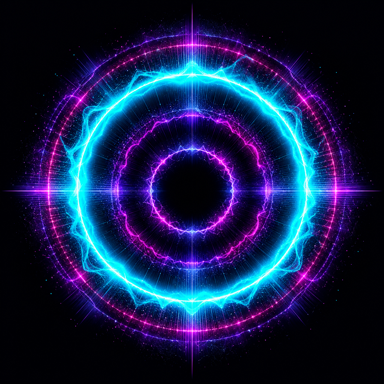
Deep bass moves concentric circles, with speaker-cone punches and ripples that travel outward.
 40Hz LIVE
Sound into sight
The world provides the music.
The iPhone provides the visuals.
Turn the sound around you into light. 40Hz LIVE listens through your iPhone microphone and responds with rings, lightning, and bass-driven motion.
The experience / 01
Quiet sound brings a smaller response. Louder sound brings more movement and light. The sound drives the visuals, so the experience follows what is happening around you.
Deep bass moves concentric circles, with speaker-cone punches and ripples that travel outward.
Sharp, multicolored branches and bright accents respond to the energy in the sound.
Rings and lightning share the same sound response, bringing bass motion and electric detail together.
Simple setup / 02
Play music on the speakers around you. Open 40Hz LIVE, choose your visuals, and tap Start listening. Microphone permission is requested when you start.
Room and Car / loud room settings let you adjust the response to your space. Use the phone as a passenger or while parked.
Privacy / 03
On your iPhone.
In the moment.
Microphone audio is analyzed on the device to drive the visuals. The app does not save audio recordings or upload your audio.
No account, advertising, or analytics SDKs. Listening stops when you tap Stop or move the app to the background. You control microphone access in iOS Settings.
Development & support / 04
40Hz LIVE is in active development with private TestFlight testing. A public download is not available yet.
Use Send Beta Feedback in TestFlight for the build you tested. Include your iPhone model, iOS version, visual mode, and what you expected versus what happened. For sound issues, mention your speaker or car connection.
Keep private conversations and personal information out of feedback and attachments.
Tap Start listening, allow microphone access in iOS Settings, and check your sensitivity and Room / Car setting. Test with music audible near the phone. If an interruption or connection change pauses listening, restart it.
It visualizes sound picked up by the microphone. It does not generate a 40 Hz tone or replace your music player. 40 Hz means 40 cycles per second—a deep bass frequency.